You’ve now got your EC2 instances looked after with Amazon Inspector, let’s make sure that you have coverage of your Lambda functions, ECR image registries and integrate Inspector with your CICD processes.
Amazon Inspector (The Sequel)
Now that we’ve covered how Amazon Inspector helps secure your EC2 instances, let’s dive into the other ways you can use it to protect more areas of your cloud environment. Inspector doesn’t stop at EC2—it extends its powerful scanning capabilities to Amazon ECR container images, Lambda functions, and even your CI/CD pipelines. By integrating vulnerability assessments and compliance checks into these critical areas, you can ensure that your security practices keep pace with the dynamic nature of cloud-native applications. In this post, we’ll explore how Inspector works with ECR, Lambda, and CI/CD workflows, giving you a more comprehensive approach to security across your AWS infrastructure.
Lambda Function Scanning
As was covered in the previous EC2 Amazon Inspector blog post, Lambda functions are automatically discovered and scanned. It will then scan functions on each deployment or update of application code or dependencies.
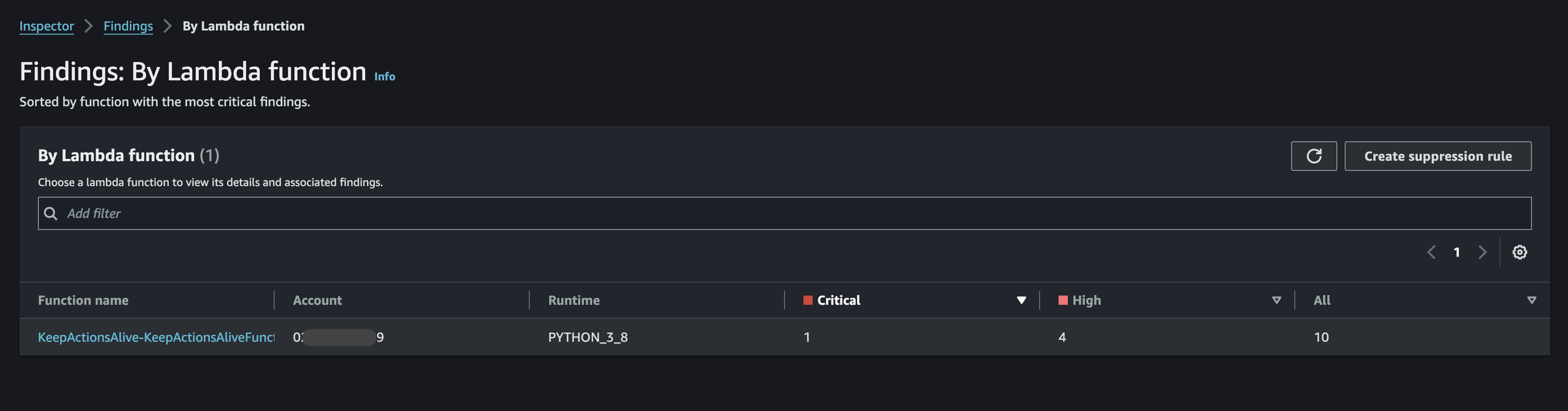
You can see a roll up of the functions status on the Findings: By Lambda function page.
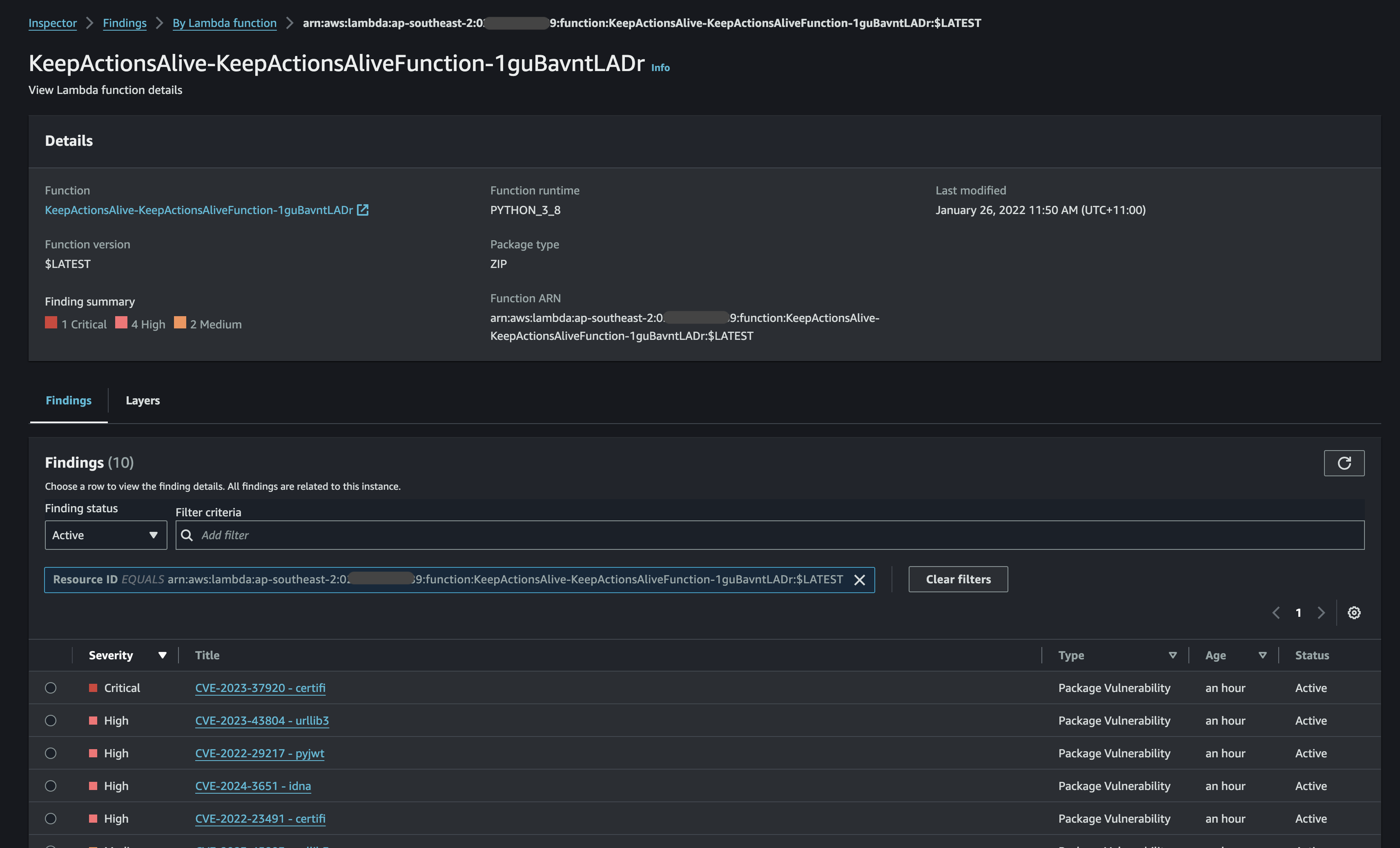
You can drill into the function and find specific vulnerabilities against dependency packages.
I then did an update of the Lambda function and it disappears, as there are no findings, so not really much to show you there. It would be better if AWS showed the change of the function though.
CI/CD Integration
When I started to test out this section on some existing container builds, I was initially skeptical if this was working (I automatically rebuild my containers for my various projects with Github actions at least once a month). I was finding zero vulnerabilities.
I needed to find a purposefully bad Dockerfile build.
I found this. https://github.com/ianmiell/bad-dockerfile
I needed to update it, and you can find my version along with the .github workflow here: https://github.com/gergnz/bad-dockerfile.
The key steps:
- Checkout and build an image
- Login to AWS
- Run the scan
- Print the results
      -
        name: Configure AWS credentials
        uses: aws-actions/configure-aws-credentials@v4
        with:
          aws-region: "ap-southeast-2"
          aws-access-key-id: ${{ secrets.AWS_ACCESS_KEY_ID }}
          aws-secret-access-key: ${{ secrets.AWS_SECRET_ACCESS_KEY }}
      -
        name: Checkout
        uses: actions/checkout@v4
      -
        name: Set up QEMU
        uses: docker/setup-qemu-action@v3
      -
        name: Set up Docker Buildx
        uses: docker/setup-buildx-action@v3
      -
        name: Build
        id: docker_build
        uses: docker/build-push-action@v6
        with:
          load: true
          tags: gergnz/bad-dockerfile:latest
      -
        name: Inspector Scan
        id: inspector
        uses: aws-actions/vulnerability-scan-github-action-for-amazon-inspector@v1
        with:
          artifact_type: 'container'
          artifact_path: 'gergnz/bad-dockerfile:latest'
          display_vulnerability_findings: "enabled"
          critical_threshold: 1
          high_threshold: 1
          medium_threshold: 1
          low_threshold: 1
          other_threshold: 1
      -
        name: Display Inspector vulnerability scan results (Markdown)
        run: cat ${{ steps.inspector.outputs.inspector_scan_results_markdown }}
This is a cut down version of the workflow to show you the necessary steps.
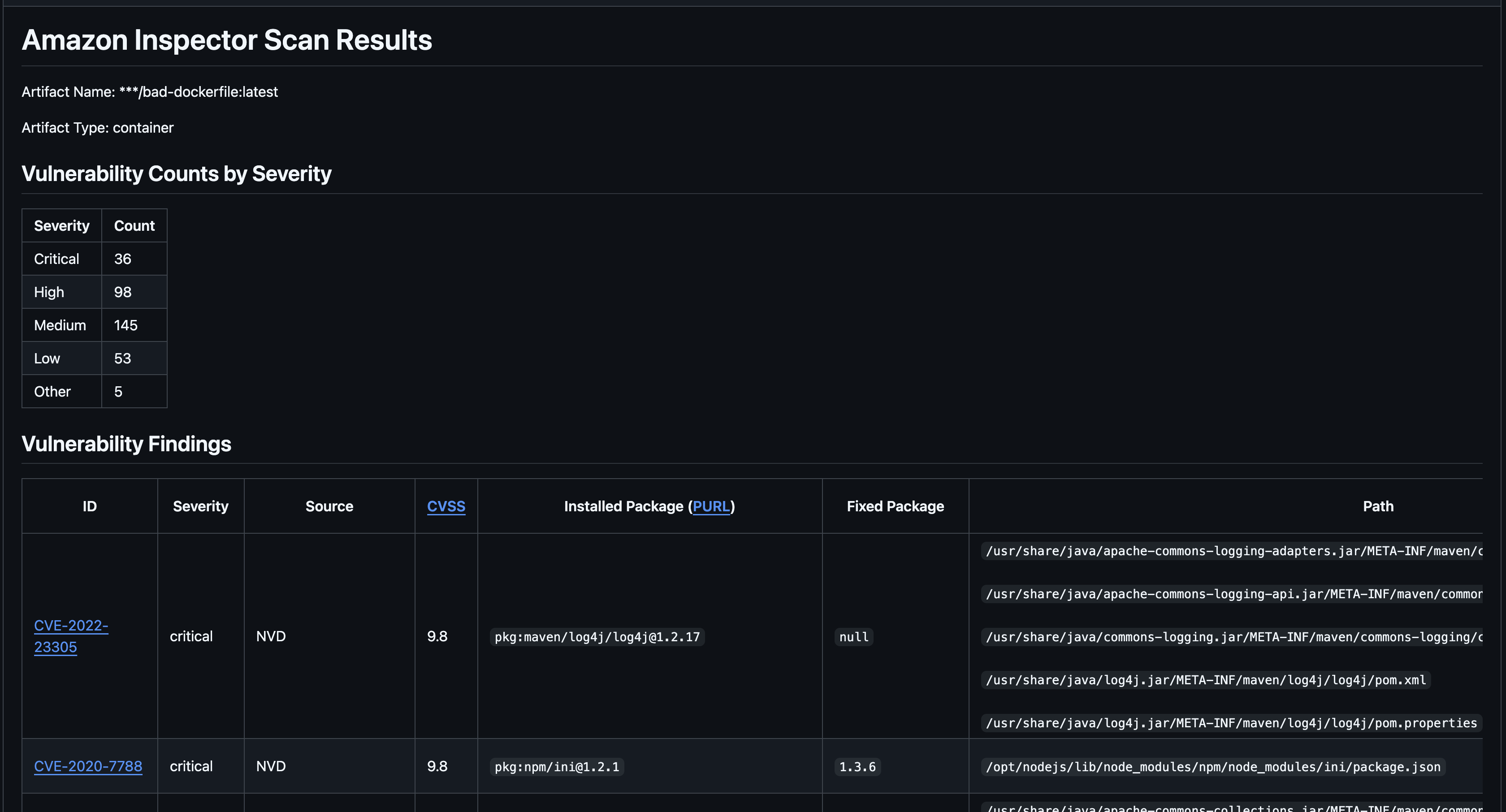
With a purposely bad container you get something like this:
ECR Image Scanning
Let’s push this container image to ECR and see if we get the same results.

The results are a little different, which is interesting, and something worth looking into maybe in a future blog post. Regardless we can see how images can be scanned as part of the process of storing them in ECR and/or as part of your build process.
Conclusion
With Amazon Inspector, securing your AWS environment goes beyond just EC2 instances. By extending its capabilities to ECR container images, Lambda functions, and CI/CD pipelines, Inspector helps you maintain a strong security posture across your entire development and deployment process. Whether you’re scanning container images for vulnerabilities, checking Lambda functions for security best practices, or integrating automated assessments into your CI/CD workflows, Inspector ensures that every component is continuously monitored and compliant.
As your infrastructure evolves, these additional layers of security allow you to stay agile without compromising on protection. By making Inspector a core part of your security strategy, you’ll have peace of mind knowing that your entire cloud environment—from development to production—is safeguarded against potential threats.